Most faceless videos are stock footage and a list of tips. The ones people watch to the end are built: one clean 3D scene, one question, one payoff. The Kit is that build, with an idea for every day of the next three months.
Three formats people watch to the end
Faceless, narrated, 3D. Each comes with its own beat sheet, look and master prompt.
Inside Things · main
“How it works” explainers
What actually happens when you tap your screen? Everyone uses the thing, nobody knows how it works. Curiosity carries viewers to the end.
30–40 s · exploded views · cutaways
What Happens If?
“What would happen if…”
A wild question and a chain of consequences you can see. The comments argue about the answer.
35–45 s · cutaways · story
True Size
Scale comparisons
What does a billion dollars in $100 bills look like? Things climb in size while the camera pulls back. The easiest to make look great.
25–40 s · true scale · pull-back
Every clip on this page was rendered in the studio the Kit sets up. They play silently here; your videos get voice, captions and music.
From the idea bank
Never stare at a blank page
90 ideas across the three formats come with the Kit. Tap for another.
Explainer
Get all 90 with the Kit · $27
What happens when you touch your phone screen
The Viral 3D Kit, part by part
- 01
24-hour quick start
What you need, then four steps from an empty folder to your first finished video.
- 02
The Studio Setup prompt
One paste builds your whole studio on your computer: 3D scenes, recorder, voice, captions.
- 03
3 format templates
“How it works”, “what would happen if” and scale: beat sheet, look and master prompt for each.
- 04
Fix-it prompts
The exact words to send when a video looks flat, reads too small or runs long.
- 05
90 video ideas
30 per format, picked from topics that have already pulled big views.
- 06
100 hooks + captions
Hooks for each format, 8 caption templates and 4 pinned comments.
- 07
Posting rhythm + numbers
When to post and the three numbers to read every Friday.
- 08
The funnel
Bio, comment-to-DM flow and your first product, so viewers can buy from you.
- 09
30-day launch calendar
Week by week, from first video to your first product live.
A real look inside
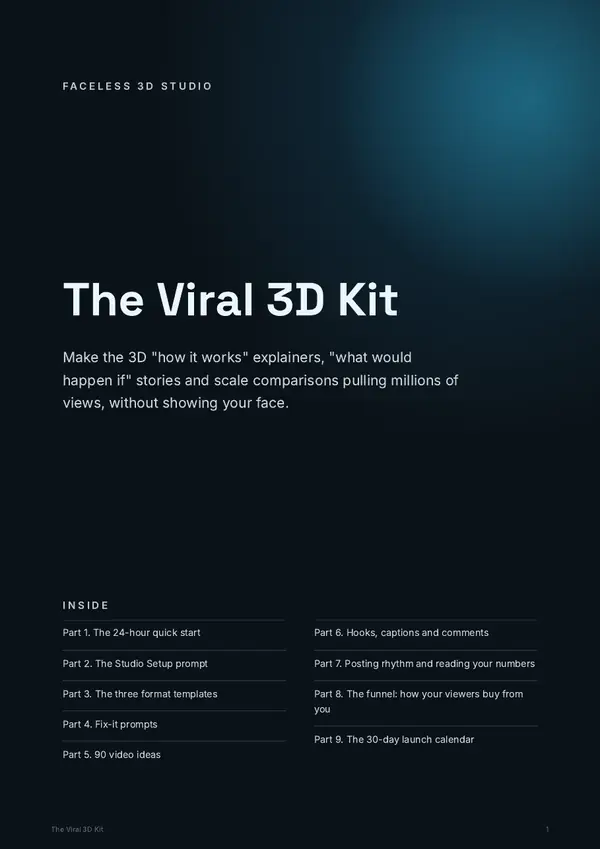
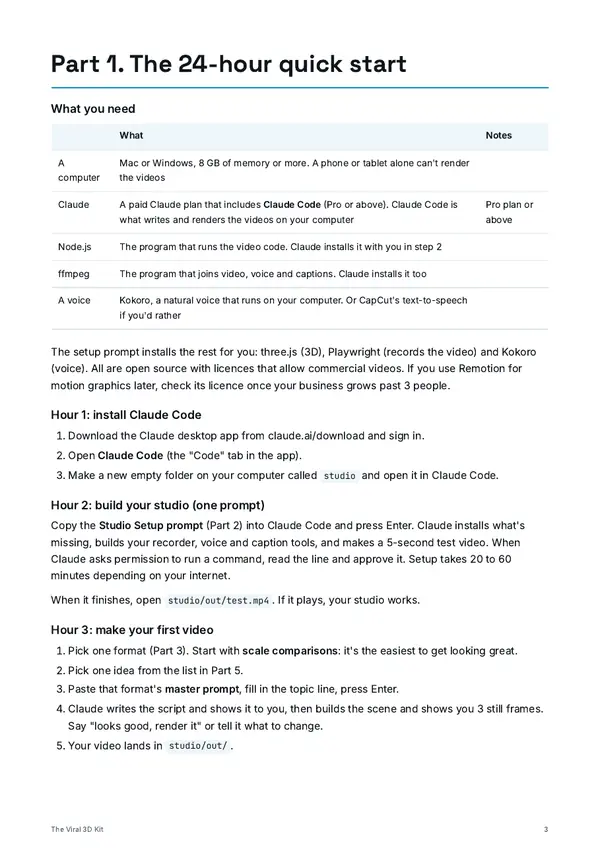
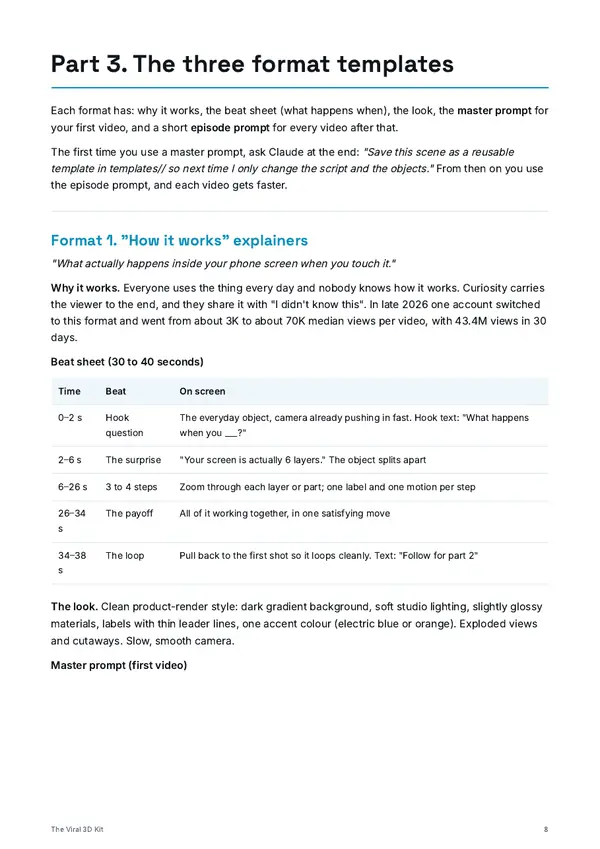
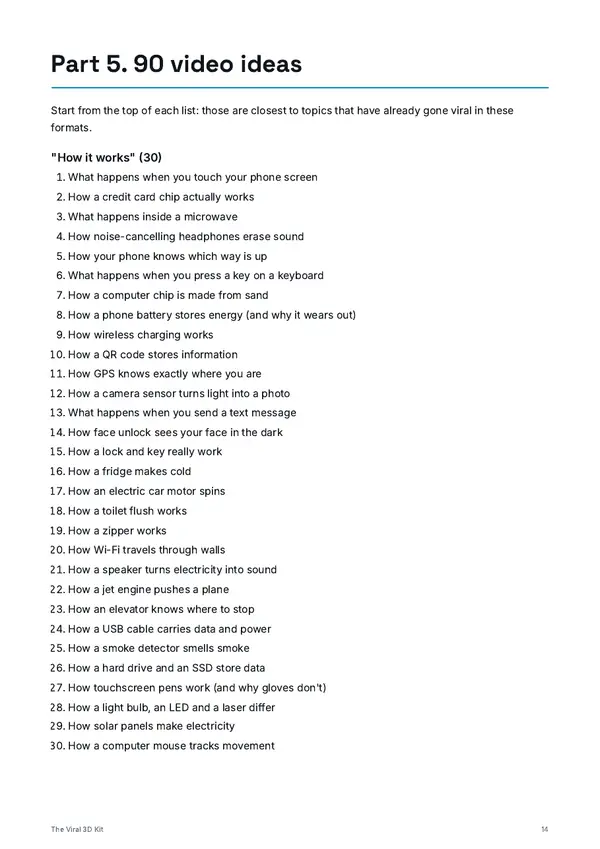
Tap any page to read it full size.
A 23-page PDF that works on Mac and Windows. The download link shows on screen the moment you pay, and your email unlocks it again any time.
Studio · $29/mo
One video is a start. A new template every week is a channel.
Members get the full Kit on day one, then new templates, a Monday rebuild of a proven format and written feedback on their videos.
Join Studio$29a month, cancel any time
Empty folder to finished video in 4 steps
Hour 1
Install Claude Code
Download it, sign in with your Claude plan, make one empty folder.
Hour 2
Build your studio
Paste one prompt. It installs everything and renders a 5-second test.
Hour 3
Make your first video
Pick an idea, paste the master prompt, approve 3 stills, render.
Hour 4
Post it
Voice, captions and music are already baked in. Post it as a Reel.
What you need: a Mac or Windows computer (8 GB memory or more) and a Claude Pro plan or above, billed by Anthropic. The setup prompt installs everything else.
Start tonight · $27You'll have it in a minute. Refund within 14 days if it's not for you.
A peek at Part 3
The opening of the explainer master prompt, exactly as it appears in the Kit.
Make a "how it works" explainer video in this studio.

Topic: [WHAT HAPPENS WHEN YOU TOUCH YOUR PHONE SCREEN]

Step 1, script: write a 30 to 38 second voice-over for a curious 16-year-old. Structure: a hook question (under 8 words), a surprising fact, 3 or 4 short steps, a payoff that makes the viewer say "huh", and a last line that loops back to the start...

Step 2, scene: clean product-render look: dark gradient background, soft key light, rim light, glossy materials, one accent color. Show each step as an exploded view or cutaway...
A note from us
Every clip on this page was made with the same setup the Kit gives you. We won’t pretend it’s instant: the first video takes an afternoon while you get set up, and after that most take 20 to 40 minutes, mostly waiting for the render.
If you get stuck, message us where you are stuck and we’ll tell you what to paste next.
Faceless 3D StudioThe Viral 3D Kit
Everything to make and post your first 3D video this week
- 24-hour quick start and the one-paste Studio Setup prompt
- 3 master prompts with beat sheets: explainers, what-ifs, scale
- 90 video ideas, 30 per format, from topics that already pull big views
- 100 hooks, 8 caption templates, 4 pinned comments
- The funnel: bio, comment-to-DM flow, first product
- 10 fix-it prompts, so a flat or blurry render takes one message to fix
- 30-day launch calendar, so you know exactly what to post every day
$27USD, paid once. It's yours to keep.
Get the Kit for $27
Pay by card, Apple Pay or Google Pay. The download link shows on screen the moment you pay, and your email unlocks it again any time.
Use it for two weeks. If it doesn't help, message us and we'll refund you. You don't need to explain why.
Faceless 3D StudioWhy not just watch tutorials?
You can, and it takes weeks of stitching them together. The Kit is the finished recipe: tested prompts, a format people already watch, 90 ideas so you never stare at a blank page, and the funnel that turns viewers into buyers.
Studio membership
New templates every week.
The full Kit on day one, then new templates every week so you never run out of videos.
- The Viral 3D Kit included from day one
- New explainer, what-if and scale templates every week
- Monday rebuild: a proven format taken apart and rebuilt, with the exact prompts
- Written feedback on your videos from the Studio team
- The 30-day launch classroom, one short task a day
Already inside, month 1
- Week 1 The X-ray pass
- Week 2 The countdown what-if
- Week 3 Size ladder with a person
- Week 4 Myth vs fact
Best value · save 28%Yearly$249 once a year, cancel any time$20.75/moJoin yearly · $249/yrMonthlyBilled monthly, cancel any time$29/moJoin monthly · $29/mo
Both plans include The Viral 3D Kit ($27 on its own) from day one.
Same price for everyone, in USD. No contract, and you can cancel from your account whenever you like. Secure checkout by Stripe.
Questions people ask before buying
Will I be charged again?
No. The Kit is $27 once. Studio is a separate membership (monthly or yearly), only if you choose to join, and you can cancel any time.
Is the Kit included in Studio?
Yes. Members get The Viral 3D Kit on day one, plus new templates every week. Anything you download is yours to keep, and you can cancel from your account whenever you like.
What tools do I need?
A Mac or Windows computer with 8 GB of memory or more, and a paid Claude plan that includes Claude Code (Pro or above), which is billed by Anthropic and not included. The setup prompt installs everything else for you. A phone alone isn't enough.
Do I need to code or have experience?
No. You paste our prompts into Claude Code and it writes and renders the video. If you can copy and paste and approve a step when asked, you can do this.
How long does one video take?
Setup takes 20 to 60 minutes, once. After that most videos take 20 to 40 minutes, mostly waiting for the render.
Do I need to show my face or voice?
No. Every format is narrated with a natural text-to-speech voice that runs on your computer.
Will I make money?
We don't promise income. Results depend on your topics, your posting and your offer. You get the system, the templates and the funnel.
What if it's not for me?
Message us within 14 days of buying and we refund you in full. One short message is enough.
What exactly do I get?
A 23-page PDF guide in 9 parts (listed above), with the setup prompt, 3 master prompts, 90 ideas and 100 hooks you copy and paste. Your download link appears on screen straight after checkout, and you can get back to it any time with the email you paid with.
Who is this not for?
It's not for you if you want guaranteed income (nobody can honestly promise that), if you want photoreal footage (these are 3D animation and motion graphics), or if you only have a phone (the videos are made on a computer).
How do I get help?
Use our contact form. We answer within one business day.
You could post your first 3D video tomorrow.
$27, paid once. If it doesn't help in the first 14 days, we'll refund you.
Get the Kit · $27 Or join Studio · $29/mo, the Kit included